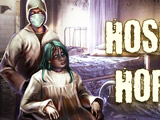
About P.T. Silent Hill
P.T. Silent Hill is a house-exploration horror game. This browser edition takes you through gloomy corridors, unsettling pictures and a succession of doors. Move through the house and examine the surroundings for the next part of the route.
Take time to orient yourself before crossing a doorway. Pictures and the arrangement of doors can serve as landmarks, making it easier to describe where you stopped and what you still want to inspect.
How to Play P.T. Silent Hill
Getting Started
- Use the mouse to examine the corridor before moving ahead.
- Approach the available doors and continue along the accessible route.
- Inspect the pictures and nearby surroundings as you go, rather than treating every doorway as the only point of interest.
Controls
| Input | Action |
|---|---|
| WASD or arrow keys | Move |
| Mouse | Look around |
| Q | Show or hide the cursor |
| Esc | Pause |
Orienting Yourself in the Browser Edition
The browser edition is a corridor exploration experience, so begin by learning the scene you can currently see. Pictures and doorways make useful landmarks: note a distinctive feature before moving, then compare it with what you see after the next turn. This is more reliable than judging progress by walking for a fixed amount of time.
Use the mouse to look around and WASD or the arrow keys to move. Q shows or hides the cursor, and Esc pauses. When the passage feels disorienting, stop moving briefly and inspect the available route. Follow instructions for this edition when comparing guides, since the original PlayStation teaser is a separate release.
Practical tips
- Separate looking from moving when a narrow passage makes orientation difficult. Check what is ahead, then advance.
- Note a distinctive picture or doorway when recording your progress. A visible landmark is more useful than counting how long you have walked.
Frequently asked question
Should I use a walkthrough for the original PlayStation P.T.?
Use instructions for this browser edition. The original teaser is a separate release; its ending puzzle and controller instructions should not be assumed to apply here.