
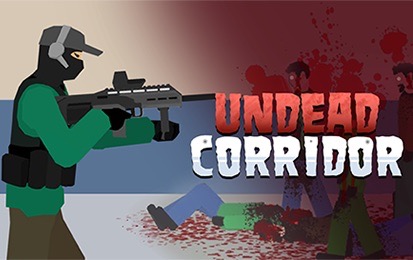


About Undead Corridor
Undead Corridor is a side-view zombie shooter about keeping enemies at a manageable distance. Movement, ammunition, and reload timing compete for limited corridor space. Its modes change the challenge, so a strategy learned in one mode may not transfer unchanged to another.
How to Play Undead Corridor
Getting Started
- Use A and D to adjust your position while aiming with the mouse.
- Fire before enemies occupy your retreat space and reload during a gap.
- Use the kick to push close attackers back, then recover enough room to resume shooting.
Controls
| Input | Action |
|---|---|
| A / D | Move sideways |
| Mouse / Left click | Aim / shoot |
| R | Reload |
| Space | Kick |
Managing Space, Reloads and Kicks
Space is a resource in Undead Corridor. Watch how much room remains behind your character as you fire; a clear approach can become dangerous if you keep retreating without noticing where the corridor ends. Use A and D to adjust your position while aiming, and look for a gap before reloading.
The kick gives you a response when a zombie reaches close range. Use the space it creates to reposition or resume firing, rather than waiting until several enemies occupy the same small area. Training offers a lower-pressure place to compare how weapons handle. When you switch to a survival mode, adapt that practice to the available room and the enemies in front of you.
Practical tips
- Reload while there is distance to spare; an empty weapon is hardest to fix when a zombie is already within reach.
- Try weapons in Training before spending a survival run learning their firing rhythm.
Frequently asked question
Is the goal to find an exit?
Survive and clear the zombie pressure. Corridor, Defense, Rooms, Street, Hospital and Training change the setting and challenge, so check the selected mode before committing to a tactic.