


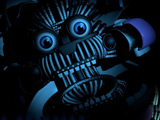

About FNAF Sister Location
FNAF: Sister Location uses a guided sequence of jobs inside an animatronic facility. Elevator instructions, control panels, and ventilation passages determine what happens next. Each area changes the task, so treating every panel as a simple attack button can miss the instruction that makes it useful.
How to Play FNAF Sister Location
Getting Started
- Listen to the guide after arriving by elevator.
- Carry out the instruction at the relevant lights or control panel.
- Move through the indicated passage and wait for the next area's directions before repeating an earlier action.
Controls
| Input | Action |
|---|---|
| Mouse | Look around |
| W | Crawl forward |
| W + Shift | Crawl faster |
| S | Move back |
Moving Between Jobs in the Facility
The elevator starts a sequence of facility tasks. Listen to the guide and identify whether the next instruction concerns a control panel, a light or a passage. Complete that action before testing unrelated switches, so you can tell which interaction advanced the job.
Ventilation passages connect work areas. W crawls forward, W with Shift crawls faster, and S moves back. Use the passage as a transition to the next task; once you arrive, wait for the current room's directions rather than applying the previous room's response automatically. The challenge changes as you move between stations.
Practical tips
- Let an instruction finish before testing several switches; otherwise you may not know which response advanced the task.
- Separate a travel passage from a work station so you know whether the next objective is movement or panel operation.
Frequently asked question
Can I use the same action in every room?
No. Each facility job has its own instructions and threats. Listen or read carefully when a task changes before choosing a response.