
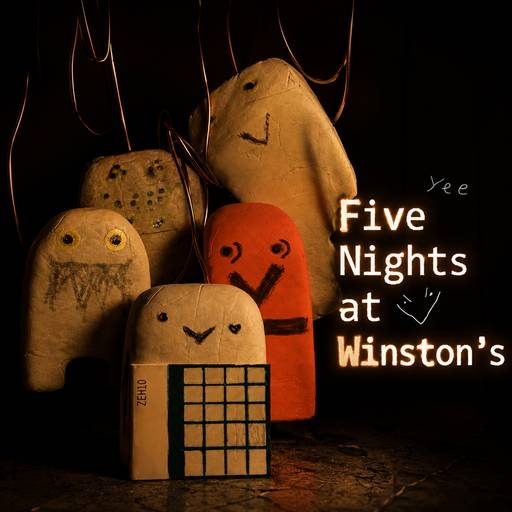



About Five Nights at Winston's
Five Nights at Winston's is lax1dude's school-set survival game. As the janitor, you watch for hostile erasers with drawn faces and paperclip limbs while trying to reach 6 AM. The office has a door on each side, lights to check the approaches, and a camera network covering the school.
The display separates remaining power from current usage. Cameras, closed doors, and lights add demands on the supply, so keeping every defense active is costly. Later nights introduce threats that require more than a quick look at an empty doorway.
How to Play Five Nights at Winston's
Getting Started
Use the camera map to gather information, return to the office to check the approaches, and keep an eye on the power display. Give each check a purpose: locate a threat, inspect its warning sign, or decide whether a door still needs to stay closed.
Threats and responses
| Threat | What to watch | Response |
|---|---|---|
| Long Arms | The left doorway | Close the left door when the light reveals him. |
| Weird Climber Dude | Boiler-room clanging, then the right doorway | When the noise stops, check the right light and close the door if he is there. |
| Laxative Dude | Camera A3; a cart approaching along A1 | Regular A3 checks slow his progress. Close the left door if he charges. |
| Baby Charles | The trash can on A1 | Keep the left door closed while he is there; he does not appear in the doorway. |
| Baby Winston | Obstructed camera views and either doorway | Check both approaches and close the door on the side where he appears. |
Practical tips
- Treat power percentage and usage as different information: one tells you what remains, while the other shows the cost of your present setup. Recheck usage after changing doors or lights.
- Use A1 and A3 for different questions. A1 can reveal an immediate left-side threat; A3 helps you manage Laxative Dude before the charge.
- After a failed night, identify whether you missed a doorway, overlooked a camera warning, or spent too much power. Change the relevant part of your routine on the next attempt.
Frequently asked question
Can a Custom Night routine be used unchanged in an ordinary night?
Check the settings first. Custom Night lets you adjust character difficulty and modifiers such as infinite power. Those settings change what you are practising, particularly whether a routine has to conserve energy.