





Live Granny4.io

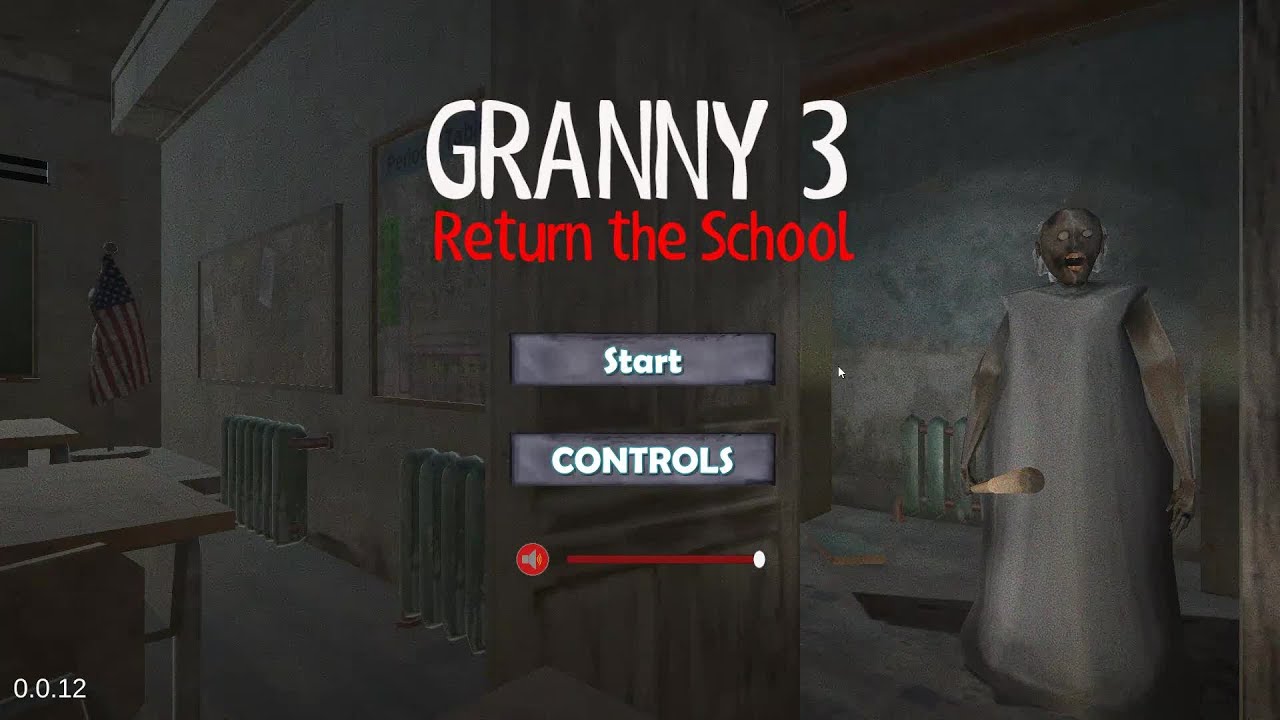
Granny 3 Return the School

Browser Instant Play Free
advertisement

Game Description

Granny 3: Return the School


1. Game Overview

Granny 3: Return the School is the Granny-genre entry that finally lets you fight back — not with a brief stun mechanic or a limited-use item, but with a genuine combat system, multiple weapons, and the tools to take the fight to Grenny rather than spending every run hiding from her. You are not the usual helpless prisoner. You are a daredevil who landed in the wrong place and has no intention of staying there quietly.

The setting is an abandoned school that Grenny has turned into her personal fortress — classrooms left to rot, hallways gone dark, and zombies added to the roster of things trying to kill you. Getting out requires more than finding a key and sneaking to the door. You need to start the generator, retrieve an electronic code, and use it to open the main entrance. The escape sequence is layered in a way that most Granny games don't attempt, and the combat system is what makes navigating it feel genuinely different.

The combat toolset is extensive by browser game standards: knuckles for close-range brawling, firearms with reloading and aim mechanics, grenades, a peek system for checking corners before committing, and a slow-motion mode that gives you a tactical edge in tight encounters. Grenny's baton can kill you in just two hits, which means you can't simply absorb damage while you figure things out — you need to dodge, aim, and manage your resources intelligently.

Rated 4.17 out of 5, Granny 3: Return the School is the most action-oriented Granny game on the site and a genuine genre departure from standard escape-and-hide gameplay.

Key Details:

  • Genre: Action Horror / Escape Puzzle
  • Difficulty Level: Medium–Hard
  • Average Play Time: 20–40 minutes per session
  • Best For: Players who prefer active combat over pure stealth; horror fans aged 13+ looking for the most action-focused Granny experience; fans of survival games with weapon management

2. How to Play

Getting Started:

  1. Equip and understand your knuckles immediately — Your starting melee weapon is your knuckles. They activate the moment Grenny appears in front of you and are your primary close-range defense before you find additional weapons. Learn the attack timing before she's close enough to swing her baton.
  2. Respect the two-hit kill rule — Grenny's baton kills your character in exactly two hits. This is non-negotiable and the game's most important design constraint. Dodging her attacks is not optional — it's the central skill the game is built around.
  3. Search the school for weapons and items — Beyond the knuckles, the school contains additional weapons accessible through exploration. Use the F key to pick up objects you find and the Mouse Wheel to cycle between your available loadout.
  4. Find the generator and start it — The generator is an essential objective that must be completed before the exit becomes accessible. Locate and activate it as a priority puzzle step rather than treating it as a late-game task.
  5. Retrieve the electronic code and escape — Once the generator is running, find the electronic code that unlocks the main entrance. Input it at the door to complete your escape.

Basic Controls:

ActionInput
Look aroundMouse
MoveWASD or Arrow Keys
ShootLeft Mouse Button
AimRight Mouse Button
ReloadR
Holster weaponH
Change weaponMouse Wheel
Peek left / rightQ / E
Pick up objectF
View controlsI
HintO
Slow motionT
GrenadeG
CrouchX
JumpSpace
RunShift
PauseEsc

Objective: Escape the abandoned school by locating and starting the generator, finding the electronic door code, and using it to unlock the main entrance. Survive combat encounters with Grenny — who can kill you in two baton hits — and her zombie horde using your available melee weapons, firearms, and grenades throughout the school.


3. Game Features & Highlights

  • Full combat system with multiple weapon types — Knuckles, firearms with reload and aim mechanics, and grenades give players the most extensive offensive toolkit in any Granny-genre game on the site
  • Two-hit kill danger from Grenny's baton — A brutally low health margin that makes every encounter with Grenny genuinely tense and forces precise dodge discipline rather than passive tanking
  • Zombie secondary enemies — Grenny isn't the only threat in the school — zombies patrol the hallways alongside her, adding a horde-management layer to the escape challenge
  • Multi-step escape sequence — Generator activation and electronic code retrieval create a layered objective chain more complex than a standard key-and-lock escape progression
  • Tactical peek and slow-motion systems — Q/E corner peeking and T slow-motion mode provide active tactical tools for navigating dangerous hallways and managing combat timing

4. Tips & Strategies

Beginner Tips:

  • Use the O key (hint) when you're stuck on the generator or code objectives. The hint system exists precisely for navigating the multi-step escape sequence — use it rather than spending minutes searching an already-cleared section of the school.
  • Never absorb Grenny's first baton hit deliberately to "check your health." Two hits ends the run. Treat every Grenny encounter as a dodge-or-counter situation from the opening second rather than a damage-management exercise.
  • Use the Q/E peek system before crossing every hallway junction. Peeking reveals what's around a corner without exposing your full character, and it's the safest way to avoid walking directly into a Grenny encounter or a zombie group in the school's narrow corridors.

Advanced Strategies:

  • Reserve grenades for multi-enemy situations — specifically when zombies are clustered in a hallway you need to cross to reach the generator or code location. Using grenades on single-enemy encounters wastes a resource significantly more valuable in group scenarios.
  • The slow-motion mode (T) is most effective during Grenny's attack animations — activating it when she begins her baton swing gives you the reaction time to dodge in the correct direction before the hit lands. Using it proactively before an encounter rather than reactively during one is less efficient.
  • Learn the school's layout across multiple runs and map the generator location relative to your starting classroom. The generator is a fixed-objective item — knowing its approximate position before you start moving allows you to plan your combat route through the school rather than searching reactively while under zombie pressure.

What to Watch Out For:

  • Taking a first hit from Grenny and continuing casually — One hit leaves you one hit from death. After any successful contact from Grenny's baton, treat subsequent play as maximum-priority until you're out of her immediate area. The margin between alive and dead is extremely thin throughout every run.
  • Ignoring zombies while focusing on Grenny — Zombies don't disappear because Grenny is your primary concern. Groups of zombies blocking hallways between you and your objectives are real obstacles that require ammunition or grenades to clear, and ammo is finite. Factor zombie positions into your route planning alongside Grenny's patrol.

5. Game Elements Explained

The Combat and Weapon System Granny 3: Return the School's defining feature is its extensive combat system — the most fully realized offensive toolkit in any Granny-genre game available on this site. The system is built around three tiers: melee (knuckles for close-range brawling), firearms (with dedicated aim, fire, and reload controls plus weapon switching via mouse wheel), and explosives (grenades for area control and multi-enemy clearing). Each tier has its own usage context and resource constraints. Knuckles are unlimited but require Grenny to be within striking distance — dangerous given her two-hit kill baton. Firearms give you ranged engagement options but consume limited ammunition and require manual reloading (R) during combat. Grenades deal area damage but are finite and most valuable when multiple enemies occupy the same space. Switching intelligently between weapon types based on encounter context — melee for isolated zombies, firearms for Grenny at range, grenades for grouped threats — is the core skill the combat system teaches across multiple runs.

The Two-Hit Kill and Dodge System Grenny's baton delivering a two-hit kill is not simply a difficulty number — it's the design constraint that shapes every aspect of how combat plays out in Return the School. With two hits standing between you and a failed run, absorbing damage to deal more damage in return is never a viable strategy. Every Grenny encounter must be approached as a dodge-first situation, with offensive actions taken only in the windows between her attacks. The game supports this with several tactical tools: the peek system (Q/E) lets you see around corners before committing to a hallway, reducing surprise encounters; the slow-motion mode (T) extends reaction windows during Grenny's attack animations; and the holster option (H) lets you quickly switch to a different engagement posture. Together, these systems make dodging a learnable, tooled skill rather than a pure reflex test — players who use all three tools consistently handle Grenny significantly more reliably than those who rely on reaction time alone.

The Multi-Step Escape Sequence Granny 3: Return the School's escape progression is more layered than the standard Granny formula of find-key, open-door. The sequence requires completing two prerequisite objectives before the main entrance is accessible: locating and starting the generator (which powers the school's electronic systems) and finding the electronic code that unlocks the main door. These objectives must be completed in a school populated by both Grenny and zombies, meaning that the escape sequence is an active combat-navigation challenge rather than a pure search-and-solve puzzle. The generator is a physical interaction that may require clearing enemies from its immediate area before you can safely operate it. The code is a discoverable item that may be in an unexpected location within the school. Using the O key (hint) to get directional guidance on either objective when stuck is a legitimate and intended mechanic — the multi-step structure is complex enough that the hint system exists specifically to prevent players from spending entire runs lost between objectives.


6. Frequently Asked Questions

Q: How do I start the generator? A: Locate the generator within the school building — it's a physical object you interact with using the F key. If you're having difficulty finding it, press O to activate the hint system, which provides directional guidance toward your current objective. The generator may be in a section of the school protected by zombies; clear the immediate area before attempting to interact with it to avoid being interrupted mid-activation.

Q: What should I do if Grenny hits me once? A: Treat a single hit from Grenny's baton as a critical emergency — you are now one hit from ending the run. Disengage immediately: run (Shift) to a section of the school she's not currently in, put as many rooms as possible between you and her current position, and find a moment to recover your positioning before re-engaging. Do not continue the current objective while she's in the same room or adjacent hallway after landing a hit on you.

Q: How do I deal with zombies efficiently? A: Isolated zombies can be handled with knuckles to conserve firearms ammunition. Grouped zombies in hallways you need to cross are best cleared with grenades (G) for area effect or a focused firearm burst. If a zombie group is adjacent to your objective and a direct confrontation would draw Grenny, look for alternate routes through the school before committing ammunition to the encounter.

Q: Is Granny 3: Return the School appropriate for players new to the Granny series? A: Granny 3: Return the School's combat-forward design makes it more accessible to players coming from action games than the stealth-focused entries in the Granny series. That said, the two-hit kill margin and multi-step escape sequence are demanding even for experienced players. First-time Granny series players who prefer action over stealth will find it a suitable entry point; those who prefer pure escape-and-hide gameplay may find other entries on the site more aligned with their preference.

Q: Is the game playable on mobile? A: Granny 3: Return the School runs via HTML5/Unity WebGL in desktop web browsers. The full control scheme — WASD, multiple mouse buttons, Q/E, R, H, T, G, X, Space, Shift — is designed for keyboard-and-mouse play on a desktop or laptop computer. Desktop play on Chrome, Firefox, Safari, or Edge provides the optimal experience.

7. Related Games You Might Enjoy

If you like Granny 3 Return the School, you might also enjoy: