

About Observation Job Morgue
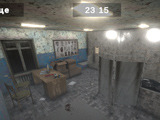
Observation Job: Morgue gives a night guard a camera-based anomaly shift. The opening view supplies the normal arrangement of each room; later changes must be reported through the interface. The challenge is remembering the morgue while dividing your attention between its camera views.
How to Play Observation Job Morgue
Getting Started
- Study each camera room at the start of the shift.
- Cycle through the views and compare object positions, lighting, and unusual movement.
- Open the report menu when you can identify the changed room and anomaly.
Learning Each Camera's Normal View
The start of the shift gives you a reference for each room. Build a mental picture around a few stable anchors: where large furniture stands, the relationship between objects, and the lighting of the scene. This makes later changes easier to place than trying to memorize every pixel at once.
During your camera cycle, inspect a room before switching away. If something has changed, identify both the room and the event before opening the report menu. A consistent viewing order can help you notice which camera you have not checked recently without turning the shift into rapid, unfocused switching.
Practical tips
- Inspect one room completely before switching so rapid camera movement does not become unfocused looking.
- Use stable objects as anchors; a missing chair is easier to notice when you remember the table it stood beside.
Frequently asked question
Should I report a feeling that something is wrong?
Try to identify the changed object or event first. A concrete room-and-event observation is more useful than repeatedly opening the menu without evidence.