






About the Backrooms
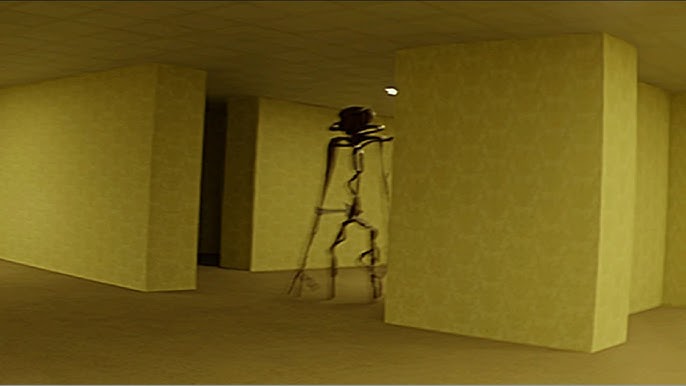
The Backrooms takes place in a maze of brightly lit yellow rooms. This version is by Esyverse, previously known as IEP, and its menu offers Classic, Deaf, and Free modes. Each changes what you should pay attention to while exploring the repeated corridors.
How to Play the Backrooms
Pick a mode
- Classic: Find a rapidly color-changing exit object before the timer runs out. Listen for its distinctive sound and follow its direction with stereo headphones.
- Deaf: Look for the same exit, using changes in your character's height and field of view as warnings that you have taken a wrong route.
- Free: Explore without enemies or an escape objective. Use it to study the layout at your own pace.
Classic and Deaf offer Easy, Medium, Hard, and Backrooms difficulty settings.
Responding to enemies
When an enemy appears, look at it briefly, then look away promptly. Staring too long is dangerous. The eye indicator fills with red while you are looking; in Classic, a red warning around the eye can also signal an enemy behind you.
Controls
| Input | Action |
|---|---|
| WASD / Arrow keys | Move |
| Mouse | Look around |
| Left Shift | Run in Free mode |
Practical tips
- Start with Classic on Easy if you want to learn how the exit cue differs from an enemy sound before adding more pressure.
- At a junction, decide which branch you are testing and keep a nearby landmark in mind. This makes a failed turn easier to retrace.
Frequently asked question
Which mode should I choose without stereo headphones?
Deaf mode supplies visual route warnings. Free mode is another choice if you want exploration without the timed escape challenge.