
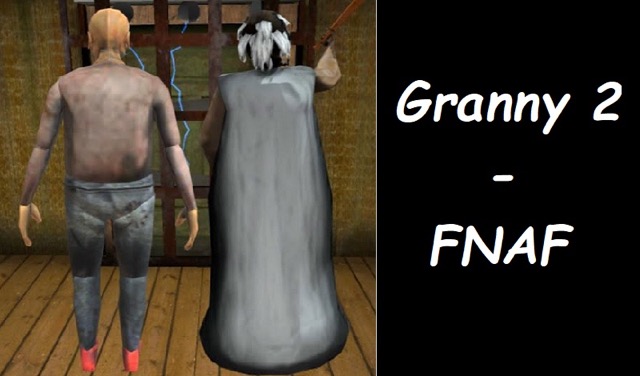








Granny 2 — FNAF
2. How to Play Granny 2 Fnaf
Getting Started
Getting Started:
- Find the teddy bear first — The teddy bear is your first objective and the trigger for the game's second phase. It spawns in the bedroom under or near a pile of junk. Search floor-level and behind furniture first — it's not always immediately visible.
- Carry the bear to the crib — Once found, carry the bear across the room and place it in the crib. This interaction triggers the house's surveillance system and begins your camera-collection phase.
- Collect physical cameras from their mounts — Move through the house carefully to locate security cameras on broken mounts. Interact with each (E) to detach and collect it. Granny is active during this phase — crouch, move slowly, and listen for her footsteps throughout the collection process.
- Place cameras in each room — Once collected, install cameras by placing them in the corners of rooms throughout the house. More coverage means fewer blind spots when you're at the monitoring station.
- Manage your battery at the computer — When settled at the monitoring station, every door close, light activation, and prolonged camera access drains the battery. Balance information gathering with resource conservation — running out of battery before the night ends leaves you completely exposed.
Basic Controls:
| Action | Input |
|---|---|
| Look around | Mouse |
| Move | WASD or Arrow Keys |
| Interact / Place cameras | E |
| Crouch | Ctrl |
Objective: Complete the escape sequence in two phases: first, find the teddy bear and place it in the crib to activate the surveillance system, then collect and install physical cameras throughout the house. Once the network is established, survive at the monitoring computer by tracking Granny through your camera feeds, closing doors before she reaches your position, and managing your battery until the night ends.
1. Granny 2 Fnaf Game Overview
Granny 2 — FNAF is the site's most ambitious hybrid: a game that combines the tactile, physical searching of the Granny escape genre with the camera surveillance and power management mechanics that define Five Nights at Freddy's. The result is an experience that switches gears mid-run — beginning as a physical exploration game and transforming into a watch-and-react surveillance challenge the moment you sit down at the monitoring computer.
It starts with a teddy bear. Finding it in the dusty bedroom (usually buried under a pile of junk) and hauling it to the crib triggers the house's surveillance system. From that moment, the game changes. You're not just searching rooms anymore — you're collecting physical security cameras from their broken mounts and manually placing them throughout the house. Granny can't cross a camera-covered area without you seeing her. But coverage takes time to establish, and time spent placing cameras is time spent moving through unsafe corridors.
Once your network is set and you're at the monitoring computer, the FNAF mechanics take over. Click through camera feeds. Track Granny's movement. Slam doors shut before her shadow crosses the threshold. Flick lights when she gets close enough to the doorway that you can't trust the cameras alone. And manage your battery — because every action drains it. Run the battery to zero and the darkness doesn't just take your visibility. It takes away Granny's only remaining obstacle between herself and you.
Rated 4.13 out of 5 by over 100 players, Granny 2 — FNAF is the most mechanically cohesive genre fusion on the site, and it earns its complexity.
Key Details:
- Genre: Survival Horror / Hybrid Escape-Surveillance
- Difficulty Level: Hard
- Average Play Time: 25–50 minutes per session
- Best For: Fans of both the Granny escape genre and FNAF-style surveillance gameplay; horror fans aged 12+ who want the deepest mechanical experience on the site; players comfortable with multi-phase gameplay
3. Granny 2 Fnaf Features & Highlights
- ✓ Two-phase hybrid gameplay — The game shifts from physical escape-room exploration to FNAF-style surveillance mid-run, creating a structurally unique experience not found in any other game on the site
- ✓ Manual camera placement system — Cameras must be physically collected from broken mounts and installed throughout the house by the player, making surveillance coverage an active construction task rather than a given
- ✓ Battery resource management — Door closures, light activations, and camera monitoring all drain a shared battery that must last the full night — creating a FNAF-style resource tension layered over the camera system
- ✓ Physical object interaction trigger — The teddy bear carry-and-place mechanic uses the game's physical interaction system to gate the transition between gameplay phases, grounding the narrative progression in tangible in-world action
- ✓ Environmental audio as supplementary detection — Creaks, thumps, and Granny's footstep sounds carry enough directional information to supplement camera checks, giving attentive players advance warning before visual confirmation is needed
4. Granny 2 Fnaf Tips & Strategies
Beginner Tips:
- Find the teddy bear before doing anything else. Other items and explorations can wait — the bear is the prerequisite for the game's second phase and your camera network, which is the prerequisite for safe nighttime survival. Prioritize it above everything on your first and every subsequent run.
- During the camera collection phase, keep Ctrl held and move at crouch speed through every corridor. You're exposed during camera collection — moving through unsafe hallways without Granny actively being able to find you is only possible if your footstep noise stays below her detection threshold.
- At the monitoring station, develop a door management habit: close only when camera confirms a threat is in the adjacent corridor, open the moment the camera confirms the threat has moved on. Holding doors closed "just in case" drains the battery faster than any other single behavior.
Advanced Strategies:
- Place cameras strategically to maximize the information you get from each feed, not just to achieve room-by-room coverage. A camera positioned at a corridor junction gives you positional data on two or three rooms simultaneously. Prioritize junction coverage over room-by-room coverage when your camera count is limited.
- Learn to use environmental audio in parallel with camera feeds rather than depending exclusively on one or the other. A creak from the direction of your door during a camera sweep tells you to immediately close the door and check the adjacent camera before the sound gets louder. Audio gives you a half-second of additional reaction time over camera-only monitoring.
- Reserve battery for the final hours of the night when Granny's aggression peaks. If you're running at full battery usage in the early hours, you will not have enough capacity to close doors reliably when Granny's late-night movement becomes more active. Deliberately limit early-hour light use to preserve capacity for the end of the night.
What to Watch Out For:
- Using lights when camera feeds are sufficient — Lights are a battery-expensive confirmation tool for when cameras don't give you enough information about Granny's exact position near your door. If your camera feeds are showing her position clearly, activating lights on top of that information doubles your battery cost for the same data. Use lights only when cameras are insufficient.
- Placing cameras in sub-optimal positions during collection — The excitement of getting cameras installed quickly can lead to suboptimal placements that leave blind spots in your network. Think about coverage geometry before installing each camera — a poorly placed camera in a room corner that only covers one wall is half as valuable as a junction-positioned camera covering two corridors.
5. Granny 2 Fnaf Game Elements Explained
The Physical Camera Installation System Granny 2 — FNAF's most innovative mechanic is the manual camera installation system, which bridges its two gameplay phases. Unlike FNAF games where the camera network is pre-installed and immediately available, Granny 2 — FNAF requires you to physically locate individual cameras on broken mounts throughout the house, collect them by interacting with each one, and then place them in room positions of your choosing. This transforms camera coverage from a given into an earned resource. The process of collecting cameras happens while Granny is already active and patrolling — meaning the camera installation phase is itself a stealth challenge, not a safe preparatory step. Each camera you collect and install improves your subsequent surveillance capacity, but the collection process exposes you to Granny's patrol in a way that the eventual monitoring-station phase does not. Players who rush camera collection without adequate stealth discipline often trigger encounters before their network is complete enough to survive the night.
The Battery Resource System The battery mechanic in Granny 2 — FNAF functions identically in principle to FNAF's power system but with a camera-installation context that makes conservation decisions different. Every active defense system — open doors (passive, no drain), closed doors (drain), activated lights (drain), and sustained camera monitoring — draws from a shared battery pool that must last the entire night. The consequence of running out is severe: battery depletion disables your defensive systems at the exact moment of the night when Granny's aggression is highest. Battery management is therefore not a secondary concern — it's a primary strategic constraint that shapes every decision at the monitoring station. Players who understand the battery drain rate of each system and plan their usage accordingly will consistently outlast players who use systems freely and then scramble to compensate when the battery drops below safe thresholds.
The Environmental Audio Detection Layer Granny 2 — FNAF incorporates an environmental audio system that functions as a supplementary detection layer alongside the camera network. Creaks, thumps, footsteps, and Granny's specific movement sounds all carry directional and proximity information that attentive players can use to anticipate camera checks before conducting them, or to confirm Granny's position when camera angles are ambiguous. Specifically, hearing footsteps becoming louder from the direction of your door is a reliable signal to close the door immediately and check the adjacent camera for confirmation — the audio arrives a half-second before camera visual confirmation would, and that half-second is meaningful when battery conservation requires keeping camera access brief. Players who use audio as a primary alert signal and camera feeds as confirmation — rather than using camera feeds as their only information source — consistently get more advance warning on Granny's approach and make better battery-efficient decisions as a result.
6. Granny 2 Fnaf Frequently Asked Questions
Q: Where do I find the teddy bear? A: The teddy bear spawns in the main bedroom, typically at floor level — under a pile of junk, behind furniture, or partially obscured by other objects on the floor. Scan the bedroom at ground level rather than eye level, and check behind and beneath all large furniture pieces. It's always in the bedroom; if you've checked the obvious locations, look behind the largest furniture pieces in the room, including behind the bed frame itself.
Q: How do I collect and place the security cameras? A: Security cameras appear on broken wall mounts throughout the house. Approach each camera mount and press E to interact with and detach the camera, adding it to your inventory. To install a collected camera, move to a corner or wall position in a room you want covered, press E to place it. The camera will be installed at your current position facing outward. Plan your placement position before pressing E — cameras cannot be repositioned once placed.
Q: What should I do when the battery gets critically low? A: Stop all non-essential battery use immediately: open all doors, turn off all active lights, and minimize camera access to brief, targeted checks of the specific feeds most likely to show Granny's current position. If Granny is known to be on the far side of the house based on your last camera check, take the risk of minimal monitoring while the battery stabilizes. There is no way to recharge the battery — once depleted, it's gone. Prevention is the only strategy.
Q: Is Granny 2 — FNAF harder than a standard FNAF game? A: Granny 2 — FNAF is more demanding than a standard FNAF experience in one specific way: the camera installation phase requires active stealth navigation before the surveillance phase even begins. A standard FNAF game starts with your defensive systems already in place; Granny 2 — FNAF requires you to earn your defensive infrastructure through a risky collection phase. Players who enjoy both genres will find this hybrid demanding but satisfying — the exploration skills from Granny games and the battery-management skills from FNAF games both apply and reinforce each other.
Q: Is Granny 2 — FNAF playable on mobile devices? A: Granny 2 — FNAF runs via HTML5/Unity WebGL in desktop web browsers. The control scheme — WASD movement, E interaction, Ctrl crouch, mouse overview — is designed for keyboard-and-mouse play on a desktop or laptop computer. Desktop play on Chrome, Firefox, Safari, or Edge provides the optimal experience. Mobile play is not recommended given the control complexity and the precision required for camera placement during the installation phase.
7. Games Like Granny 2 Fnaf You Might Enjoy
If you like Granny 2 Fnaf, you might also enjoy:
- Granny 1 Fnaf - It is the closest related crossover with camera pressure and Granny-style danger.
- Granny Fnaf Hospital - It uses a similar FNAF-inspired Granny setup in a different horror location.
- Five Nights at Freddy's 2 - It matches the sequel-style escalation and faster defensive reactions.